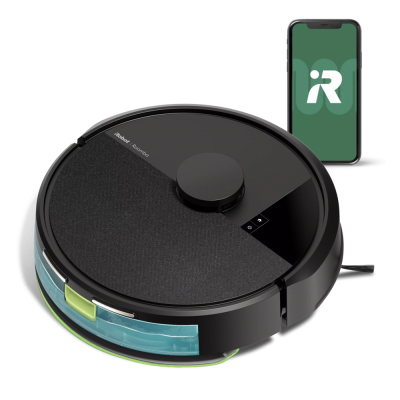


iRobot OS
Our exclusive operating system that lets users control where, when and how their robots clean.
What can iRobot OS do for you?
The more it learns, the less you clean. It’s continually learning to provide a cleaning experience that’s customised just for you.

See what's new
Introducing Dirt Detective, a hassle-free way to maintain a clean home with our new Roomba® j9/j9+ and Roomba Combo® j9+ robots.

Does the planning. Does the cleaning.
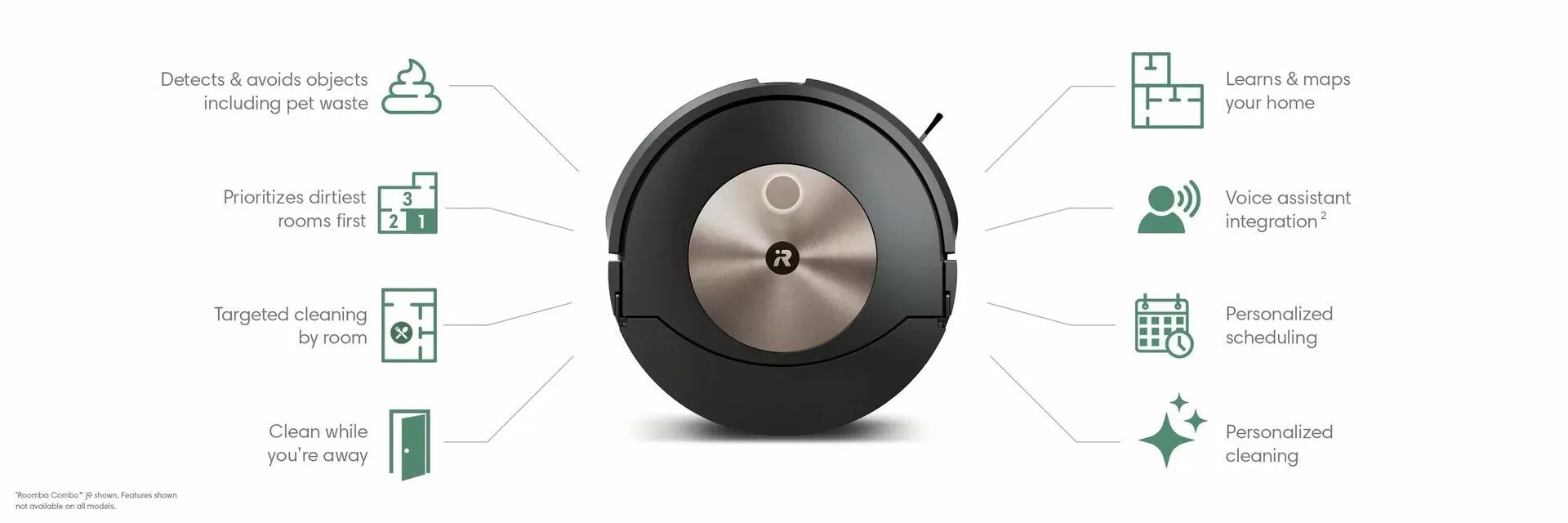
Dirt Detective powered by iRobot OS automatically prioritises the dirtiest rooms and selects the ideal settings for each job, ensuring your home remains clean.

See how clean or dirty each room is
Check your iRobot Home App for a detailed home cleanliness map. iRobot OS tracks the state of cleanliness room-by-room based on past cleans, dirt events & floor types, so your robot knows what the next messy priority is.

Tackles the dirtiest rooms first
Intuitively knows which rooms have been cleaned and what the next messy priority is. Vacuums your dirty kitchen before the already-clean bedroom.

Automatically adjusts to clean each room
Intuitively knows which rooms have been cleaned and what the next messy priority is. Vacuums your dirty kitchen before the already-clean bedroom.
Shop iRobot OS Powered Robots
- SPECIAL


iRobot Roomba® Max 708 Combo Robot Vacuum & Mop + AutoWash™ Dock
$2,499.00 Special Price $1,199.00FREE SHIPPING - SPECIAL


iRobot Roomba® Plus 508 Combo Robot Vacuum & Mop + AutoWash™ Dock
$1,799.00 Special Price $799.00FREE SHIPPING - SPECIAL


Learn more about iRobot OS
Cleaning where you want
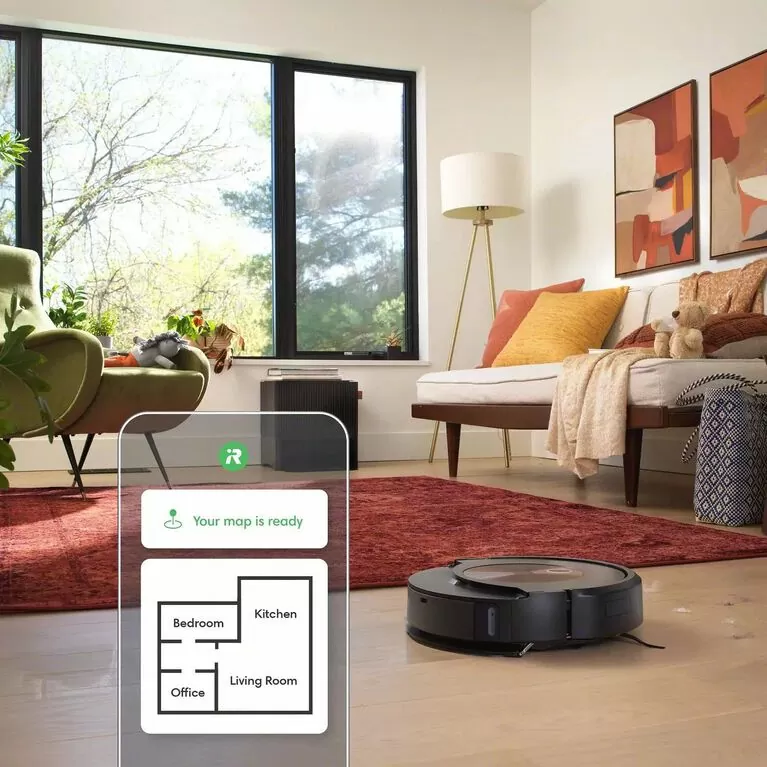
Learns and labels every room in a single run
After its first run, iRobot OS automatically labels the rooms in your home so you can vacuum where you want, when you want – 7x faster than before.

Automatically detects and avoids objects
Obstacles like pet waste, charging cords and shoes don’t get in the way of j Series robots finishing the whole job, because they use PrecisionVision Navigation to detect & avoid objects.

#1 at dodging your pet’s #2
P.O.O.P. (Pet Owner Official Promise)¹ means our Roomba j-Series robot vacuums will steer clear of your pet’s waste. If it doesn’t, we'll replace your robot for free.
Cleans on command
Our robots understand more voice commands than any other robot (3). Use your voice assistant (2) to tell your robot to clean by the dishwasher, behind the couch, or in front of the oven.

Delivers more personalised suggestions
iRobot OS learns your cleaning habits and home to make personalised suggestions for you. Receive suggestions for scheduled cleanings, Keep Out Zones, and Clean Zones for messy areas that need a more targeted cleaning.
Cleaning when you want
Your schedule is complicated. Let us take cleaning off it
For powerful cleaning that works with your routines, iRobot OS knows the specific rooms and times you like to clean, like in the kitchen after breakfast, and suggests personalised schedules.


Need a quick clean?
View an estimate of the time a certain cleaning job will take so you can align it to your schedule.

Suggests cleaning based on the season
iRobot OS provides thoughtfully intelligent suggestions, like extra cleaning schedules during pet shedding season, sent right to your phone.

Come home to clean
With iRobot OS, you can choose to set your robot to start cleaning when you leave and stop when you come home, so you only notice the clean, never the cleaning. For life’s do-not-disturb moments, you can schedule downtime for your robot when it won’t clean or empty.
Cleaning how you want
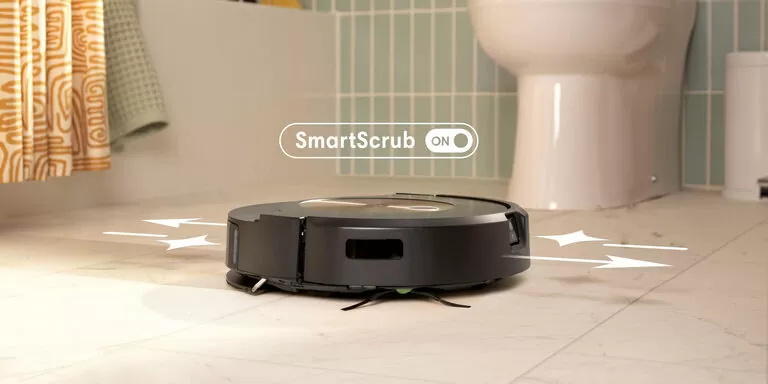

SmartScrub mops back and forth with consistent pressure and 2x deeper scrubbing*
Some areas of the home need a deeper clean –pawprints in the hallway, spills under the kitchen table, tiles in the bathroom. Simply enable SmartScrub and your Roomba Combo® j9+ will scrub back-and-forth, just like you would.

Room by room cleaning control
Set your cleaning preferences in each area of your house and create a personalized cleaning experience. You can select extra cleaning passes in high-traffic spots and lighter cleaning in areas you use less often.

Avoid accidental starts.
Child & Pet Lock can be set in the iRobot Home App to prevent an accidental start from paws or playtime.

Smart features. Smarter privacy.
iRobot uses the highest standards of data encryption backed by our promise to keep your information safe — using the data to provide a better experience and help your robot perform at its best.
The iRobot OS Advantage

The more it learns, the less you clean.
iRobot OS is more than just well-informed—it’s continually learning to provide a cleaning experience that’s customized just for you.
Frequently Asked Questions
What does the OS stand for in iRobot OS?
iRobot OS is the operating system that lets users control where, when and how their robots clean. It works on all current Roomba®, Roomba Combo®, and Braava jet® robots, and leverages feedback from iRobot’s over 40 million devices sold.
How do I get the latest version of iRobot OS?
A Wi-Fi® connected robot will automatically update its software if a new version is available when it's connected to your Wi-Fi® network or the internet, and is on its dock. In some cases, it may take up to 24 hours to receive a software update. Actual installation of software once downloaded/received should take approximately 10 minutes. To check your robot's software, open the iRobot Home App and select More > Settings > About (robot name). To view details on specific software releases, see Software Release Notes.
What app do you use for iRobot® products?
The iRobot Home App connects you to your Roomba®, Roomba Combo® or Braava jet® robots. The iRobot Home App provides enhanced maps, custom routines, seasonal suggestions, and intuitive smart home integrations*.
Feature availability varies by robot model